
1. Search for the event that you wish to remind your members about in your MemNet. From within the event navigate to the 'Emails' tab. Here you will be able to build a saved search that you can use to send an email.
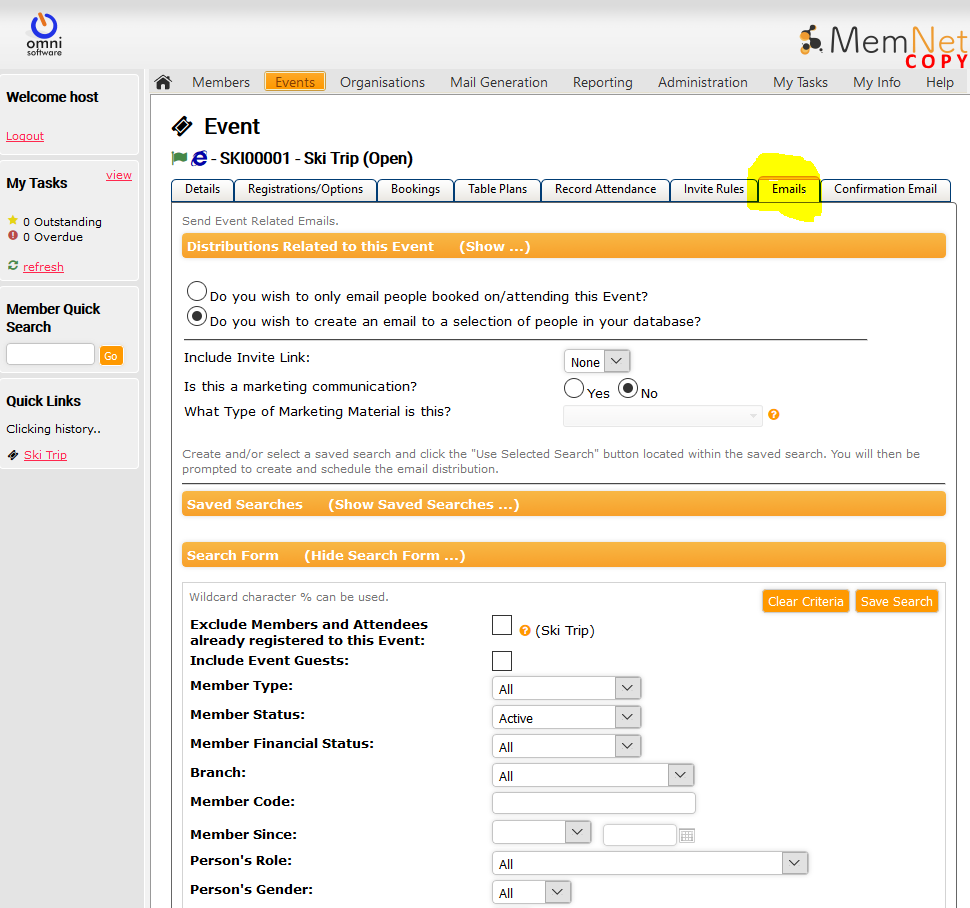
2. From within the 'Email' tab you will see two main options.
- The radio button asks if the email is for the attendees of the event and second is to configure the email for a specific group of people
If you want to target everyone except for those attending, select the second option.
3. Now you will see the "Search Form" where you can build your saved search to use in an email. There is an option in this search form to "Exclude Members and Attendees already registered to this event". Tick this box to ensure they are excluded.
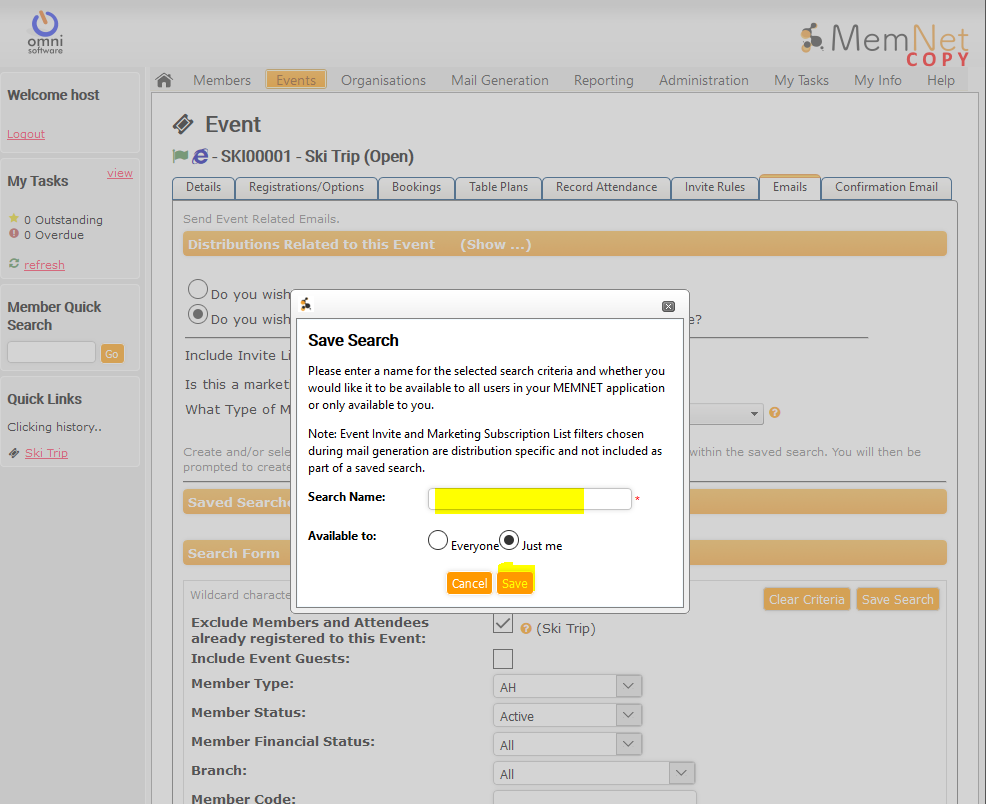
4. Once your filters have been applied, click Save Search. You will now be prompted with a pop-up window that asks you to save you search Enter a name and who it is available for and click Save.
5. Once saved, you will be taken back to the "Emails'' tab screen. Now expand the "Saved Searches" pane and find the search you just saved. Click the radio button to highlight the saved search. Once highlighted, click the "Use Selected Search" button. (Do not click "Load" unless you are looking to edit the saved search)
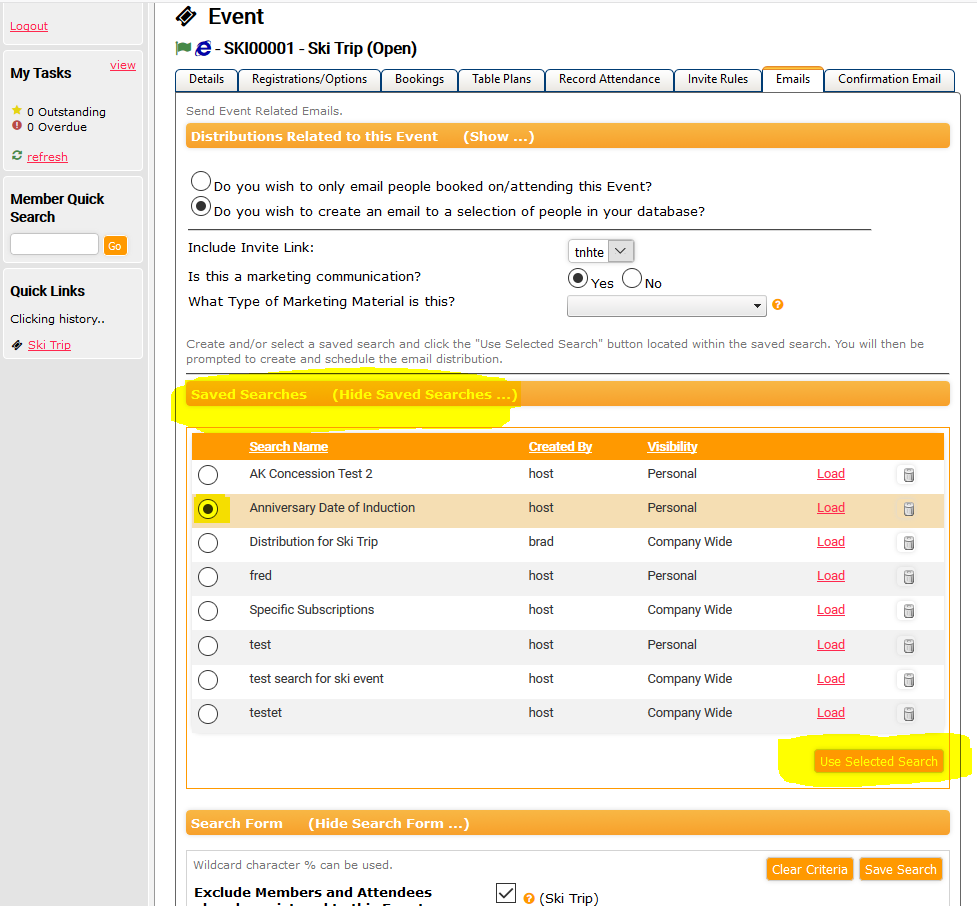
6. You will now be taken to the "Event Email Distributiion" screen where you can configure and send your email
Comments
0 comments
Please sign in to leave a comment.