
Pro Editor makes it easy to create an email message that can be used to send a company newsletter, announce a new product, promote a sale, etc.
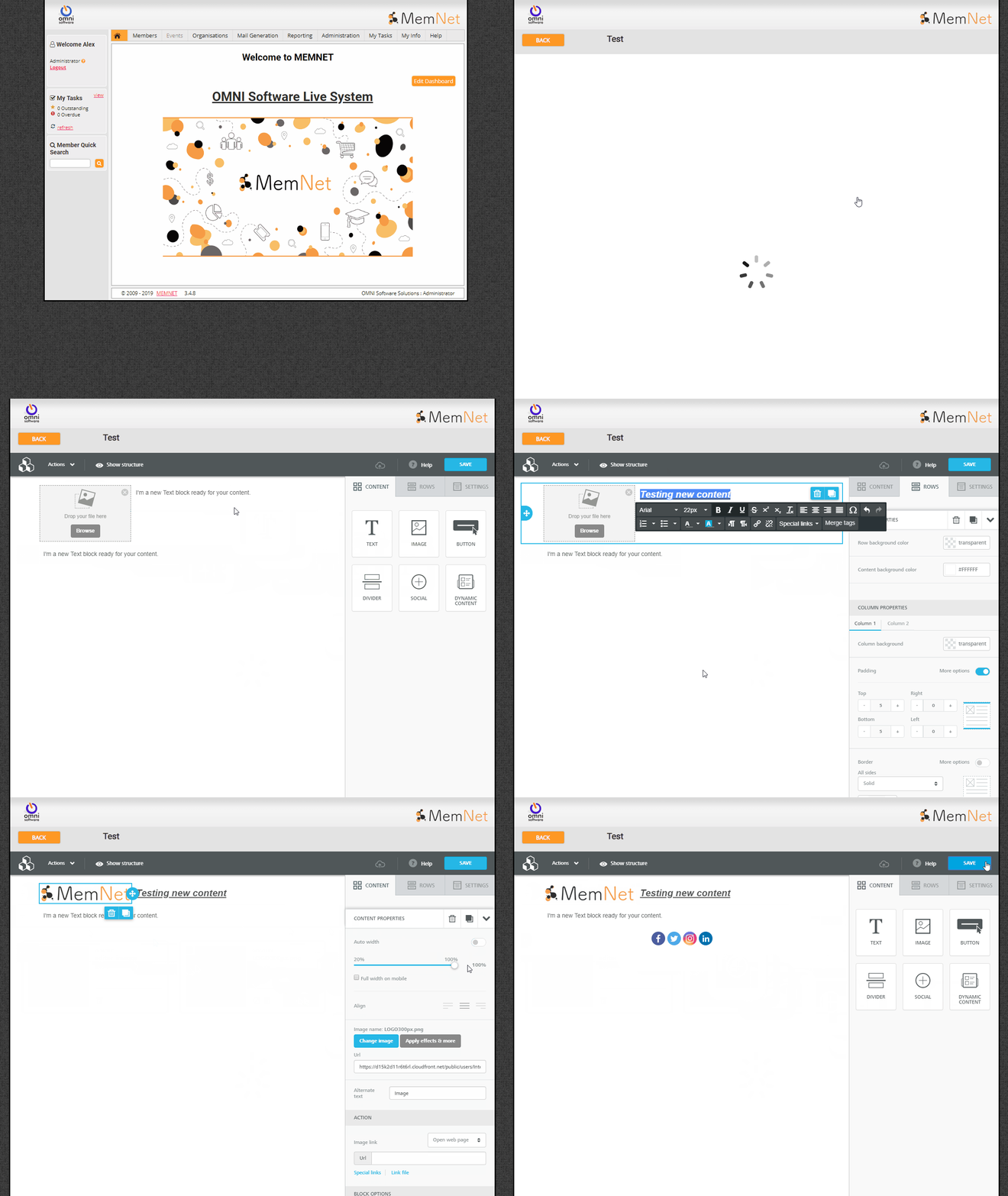
You can find the Pro Editor by Clicking on Mail Generation>Email Templates then selecting 'New Pro Template'
Once you've named your template you can start editing it!
There are a lot of different options and ways to customize your template
To start, you'll need to add some rows to your template then populate it with content, the Rows allow you to customize the layout of your template and you can drag and drop the content into each part of the row.
You can add Merge Fields & Special Links to your email.
Merge tags are placeholders that are replaced with real values at the time the message is sent. They could be recipient-specific (e.g. first name, email, the latest product ordered, etc.) or system-wide (e.g. today's date, sender's name, etc.). Special Links are replaced with links specific to the recipient of the email.
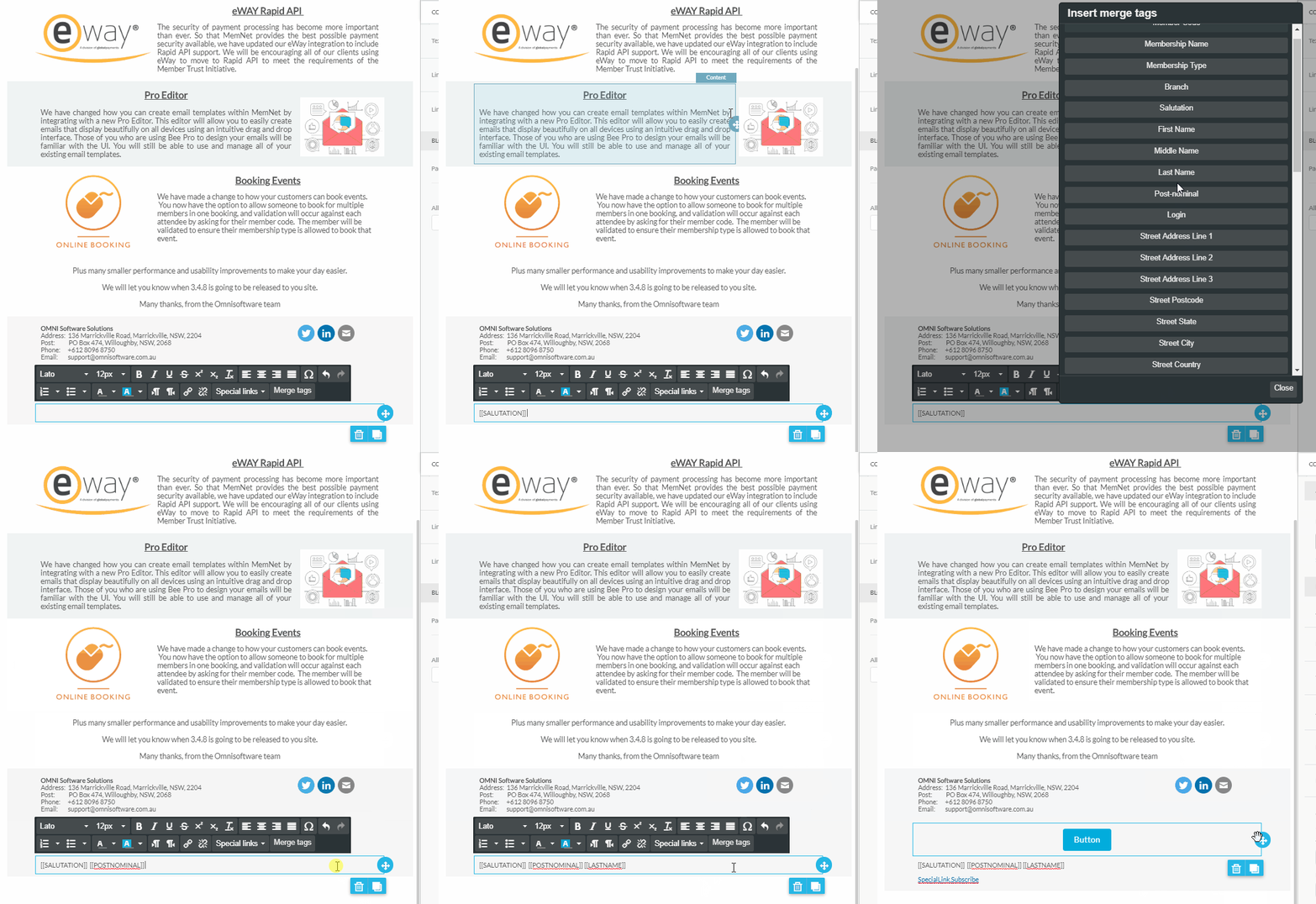
Or try typing @SALU or @ and the start of any merge tag.
Comments
0 comments
Please sign in to leave a comment.