
Before the delivery instructions will be displayed, a product must be explicitly configured to show the delivery instructions when it is purchased.
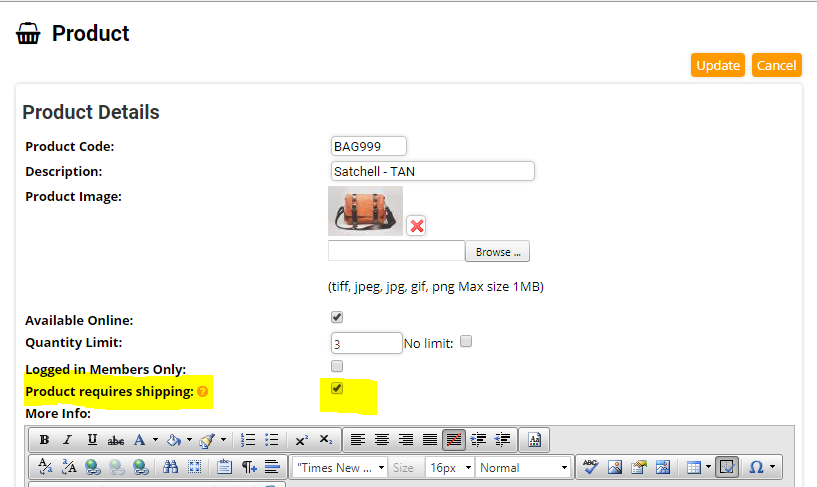
1. Navigate to Administration > System Configuration > Products and select a product that requires delivery
2. Edit the product and select the Product Requires Shipping option. Note that you also need to set a shipping cost on the product as described here.
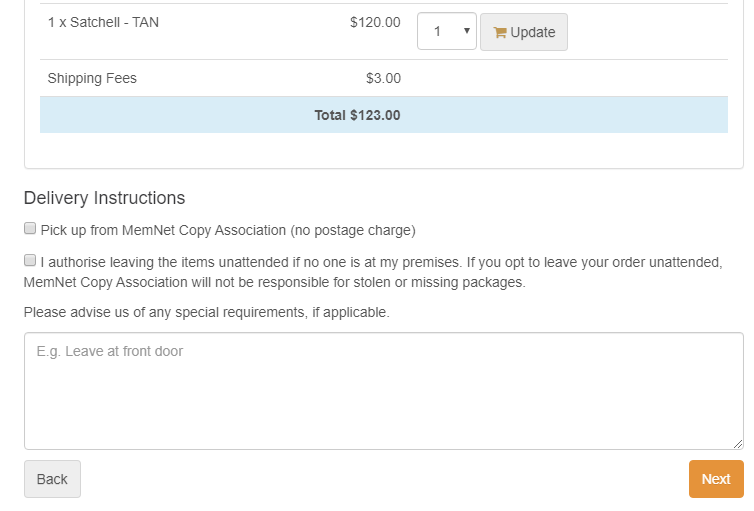
3. Now when the item is placed in a shopping cart, at checkout the delivery instructions will display and the user can select the options they require.
 .
.
Comments
0 comments
Please sign in to leave a comment.