
MemNet has 3 delivery instruction options that can be displayed when someone is placing an order.
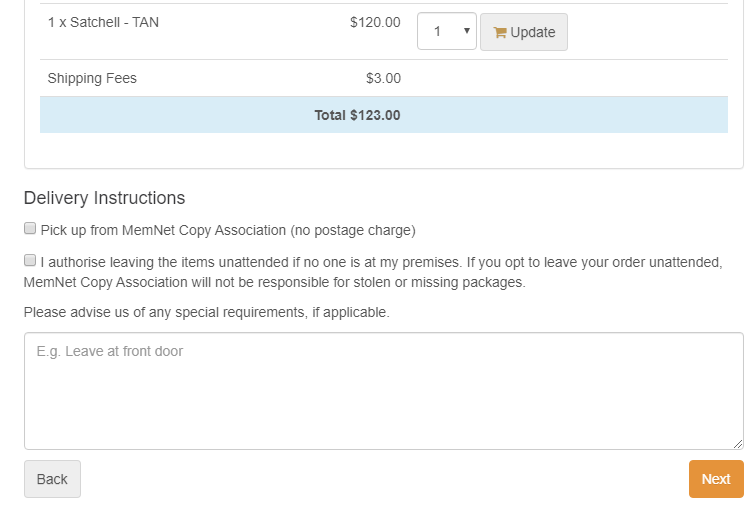
To display these instructions:
1. Navigate to Administration > System Configuration > Company Settings > Shop Cart/ Merchandise
2. In this screen, you have the option to
- Hide all shipping options
- show/hide the "Pick up from store" shipping option, and
- show/hide "Authority to leave" shipping option

3. You must configure which products require shipping, this will determine if the delivery instructions are displayed to the purchaser. See Display Delivery Instructions for a purchased item.
Comments
0 comments
Please sign in to leave a comment.