
You can now collect a deposit for an event, as an alternative to charging the full amount or allowing the booker to pay later.
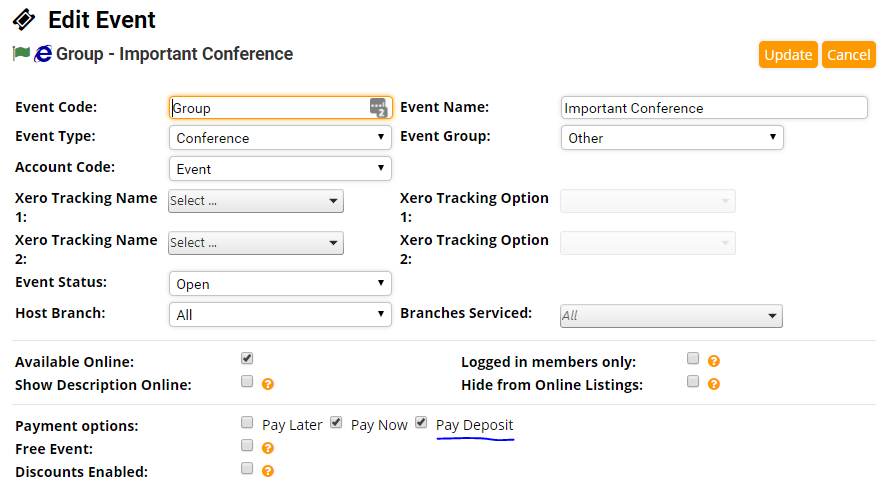
1. When creating an event you can tick the "Pay Deposit" checkbox when selecting payment options. In this example, the booker can pay the full amount (pay now) or pay a deposit.
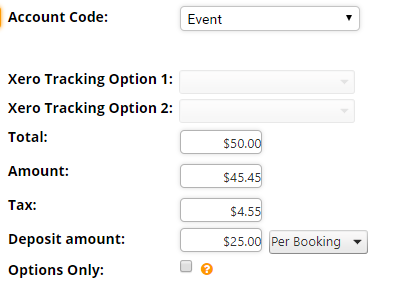
2. Once Pay Deposit is enabled, when creating a registration type, in addition to entering a total amount you may enter a deposit amount. This deposit amount can be configured to be for the total booking or per attendee on the booking. The deposit amount must be more than $0 and less than the Total. Enter $0 to disable deposits for this registration type only. Enter $0 to disable deposits for this registration type only. In this example, the booker can pay a $25 deposit per booking.
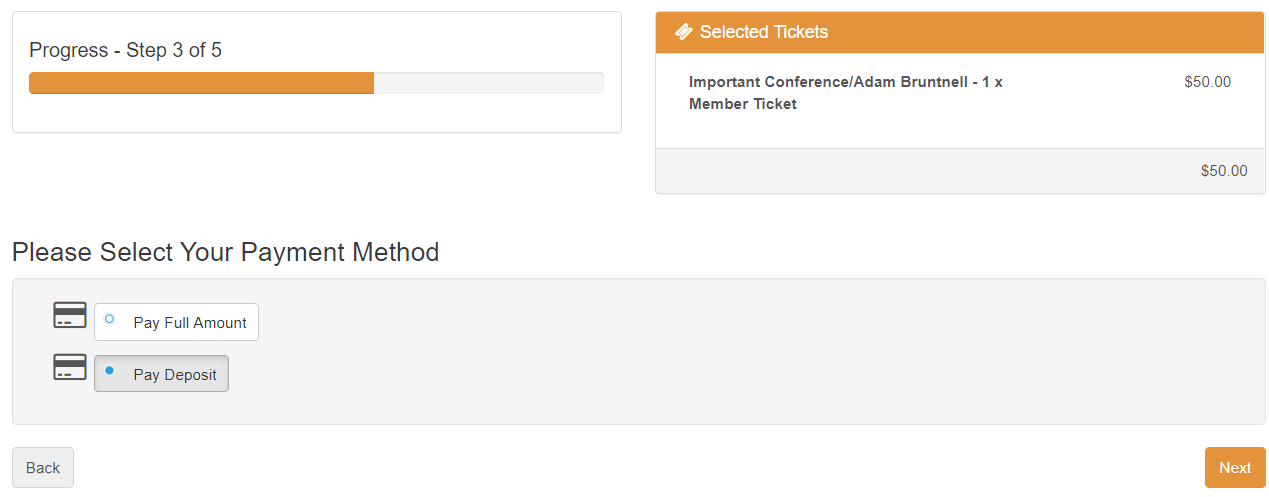
3. When purchasing the event the booker will now have the choice to pay the full amount or pay a deposit.
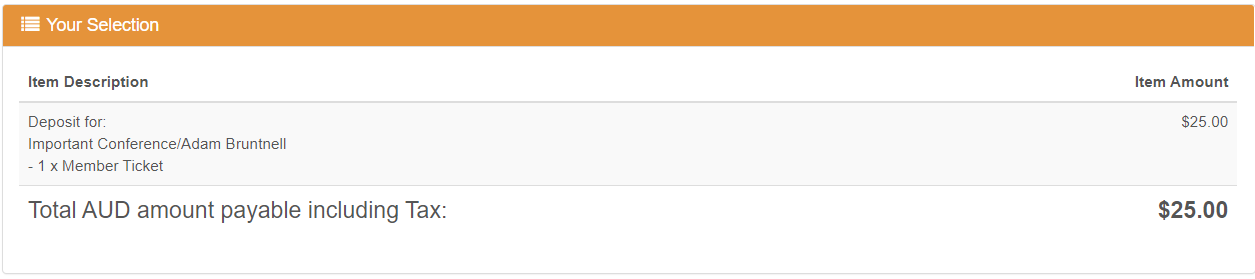
4. The booker will be invoiced for the full amount but initially only be charged the deposit amount.
5. When the booker opens their invoices. They can see the invoice for the event which has a part payment amount of $25 and an amount owing of $25. They can pay the amount remaining from this screen.

Comments
0 comments
Please sign in to leave a comment.