
You can configure your self-service screens to collect Donations and Single Payment inside of MemNet.
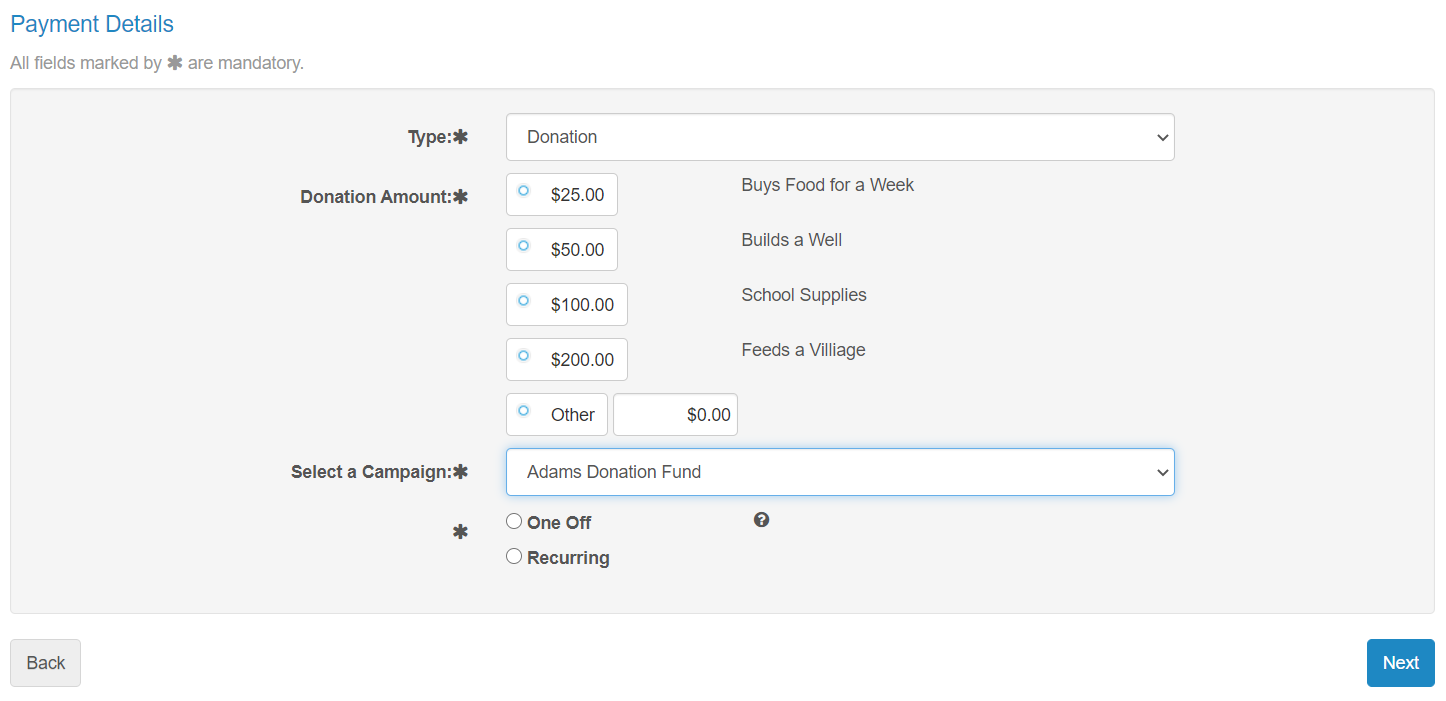
Type: Member Selects a Donation or a Single Payment. A donation is not taxed and used for a charitable cause. A single payment can be configured to collect a one-off amount for any reason.
Donation Amount: Member can select pre-determined amounts for a donation. Admin users can customise the pre-set donation amount and the description of each amount.
Campaign: member can select which campaign they would like to support with their donation. Can be multiple or just one.
Member can select to either sign up as a One Off Donation or an Annual Recurring Donation.
Donation or Single Payment
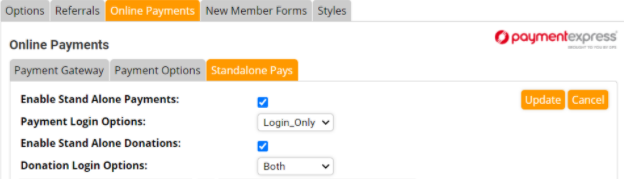
To enable stand-alone payment's and/or Donations Navigate to Administration> System Configuration > Self Service > Online Payments > Standalone Pays
Custom Donation Presets
To customise the Donation Amounts and Descriptions Navigate to Admin > System Configuration > Self Service > Online Payments > Standalone Pays
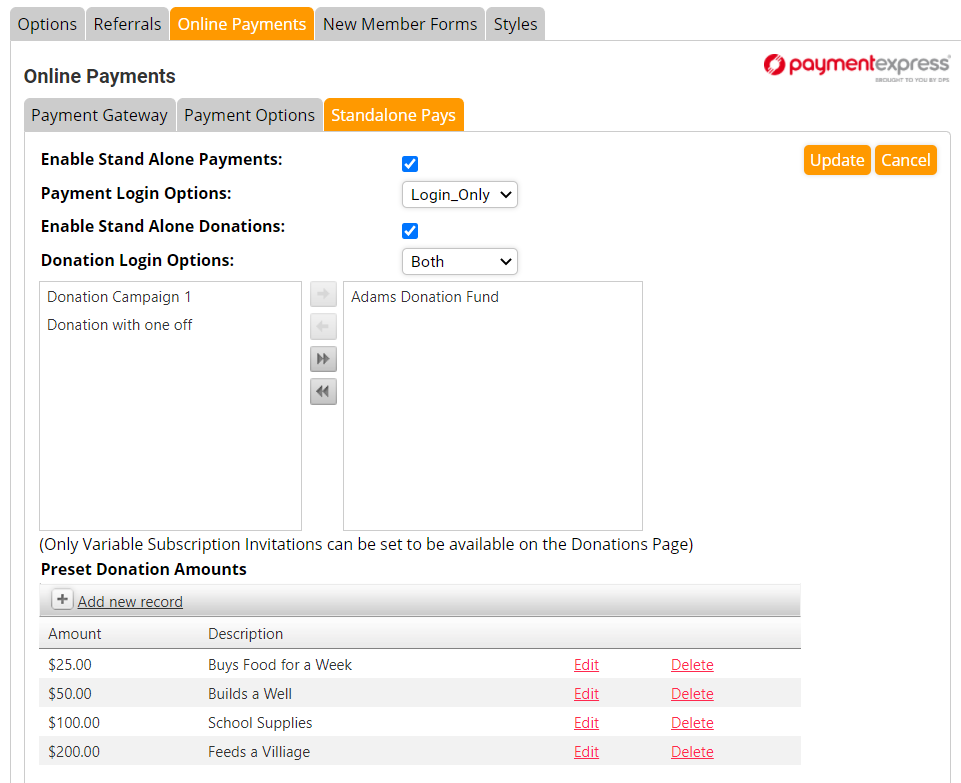
On this Screen you can Edit or Delete your Preset Donation Amounts or Add a new amount.
Custom Donation Campaign
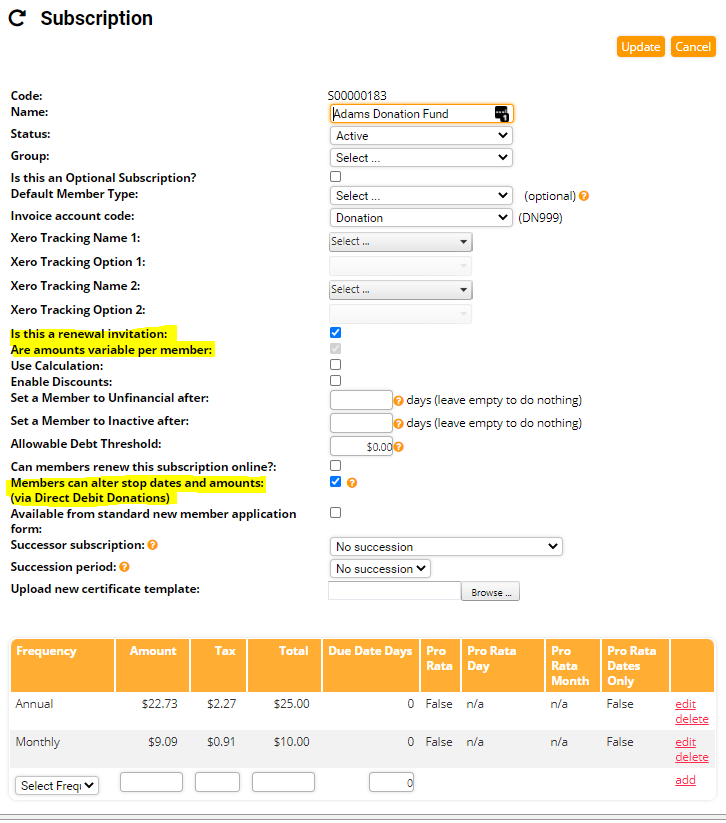
Subscriptions will appear in the left column when the three highlighted options are ticked in the subscription's settings.
1. Is this a renewal invitation
2. Are amounts variable per member
3. Members can alter stop dates and amounts (via Direct Debit Donations)
Click the highlighted button to add the subscription to the right column and make the campaign available to be selected by the member.
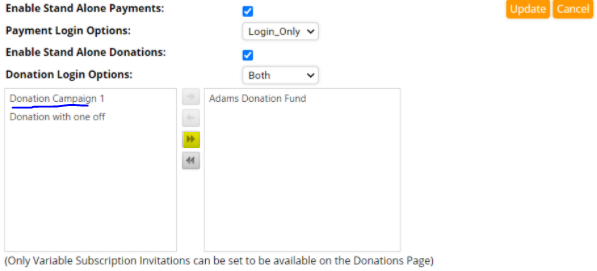
When the user selects the donation campaign from the drop-down the subscription is added to their MemNet Profile.
Comments
0 comments
Please sign in to leave a comment.