
Once you have set up an SPF record for your domain, the next step is to set up domain name validation (also known as DKIM), this also requires access to your domain's DNS records.
-
Firstly, you will need to contact us to provide you will the details needed to create the CNAME records in point 3. Please provide the domain(s) that you will be sending emails from. Note that if you provide multiple domains, you will receive separate details for each domain and will need to update the DNS for each of the domains provided.
- Once we have actioned this request, you will receive an email that looks like this:
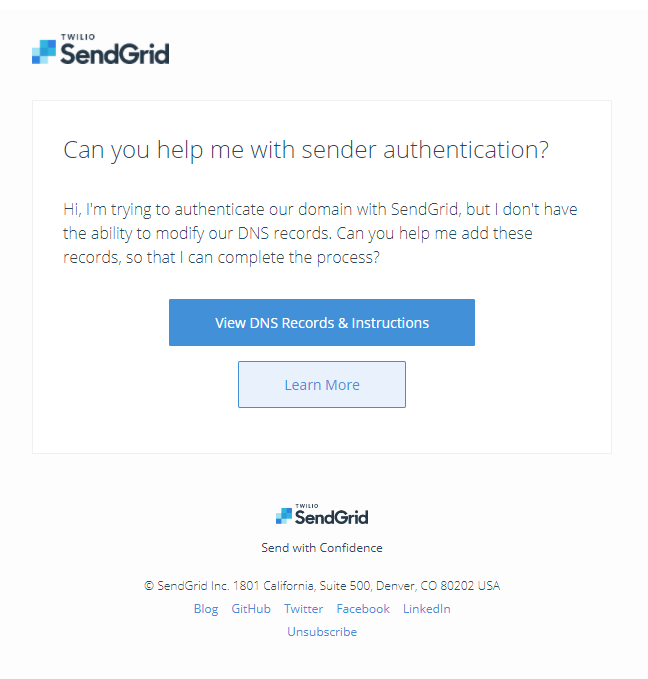
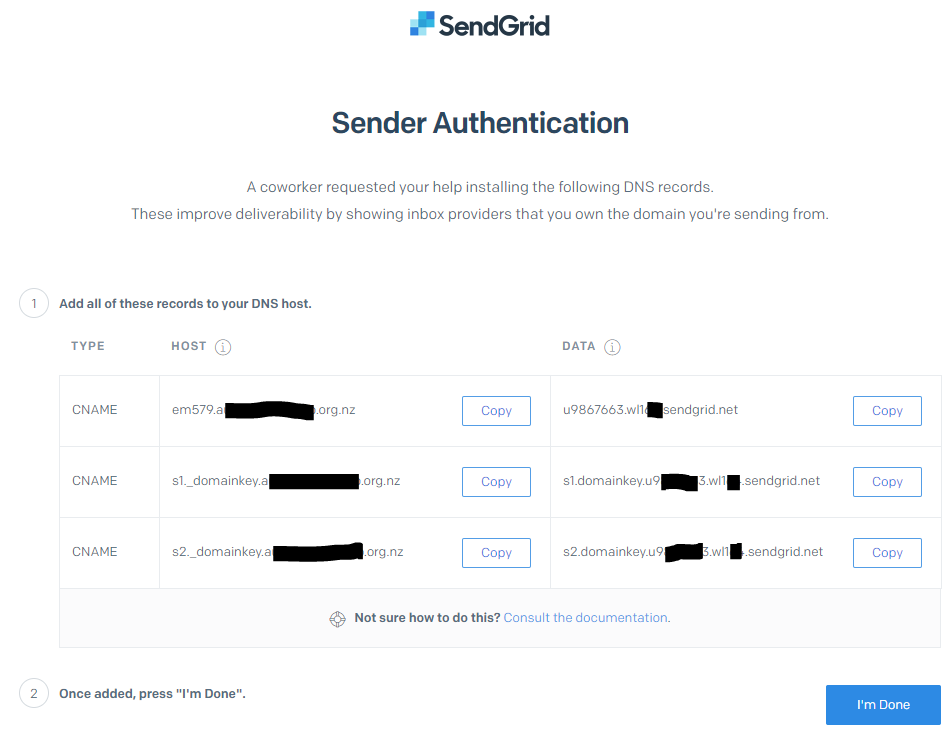
- When you receive this, click the View DNS Recodes & Instructions button, this will display a page like:
-
Utilising this information, you need to create 3 CNAME records within the DNS records for the domain provided and indicated under host. This will differ depending on the DNS host being used but will often look something like:

- Once you have created all 3 CNAME records, click the I'm Done button in SendGrid (Screenshot in point 3). This will notify us that is has been done, we will then verify that these records have been set up correctly and let you know if there are any issues.
For more information on domain name validation see here.
Comments
0 comments
Please sign in to leave a comment.