
Against a member you can create discounts codes - these are on the events tab
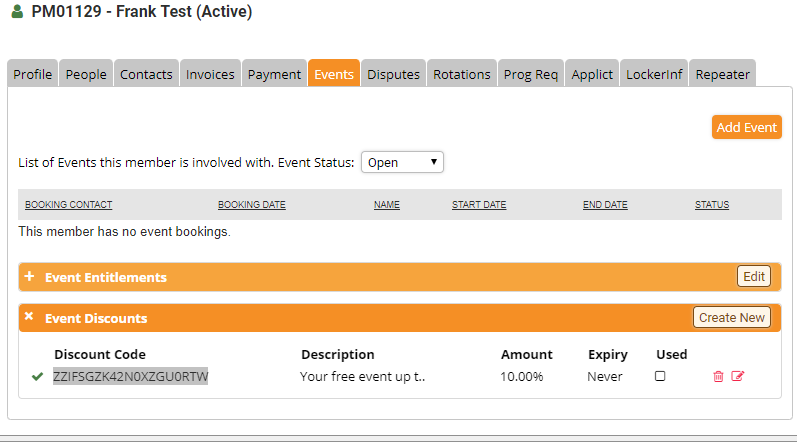
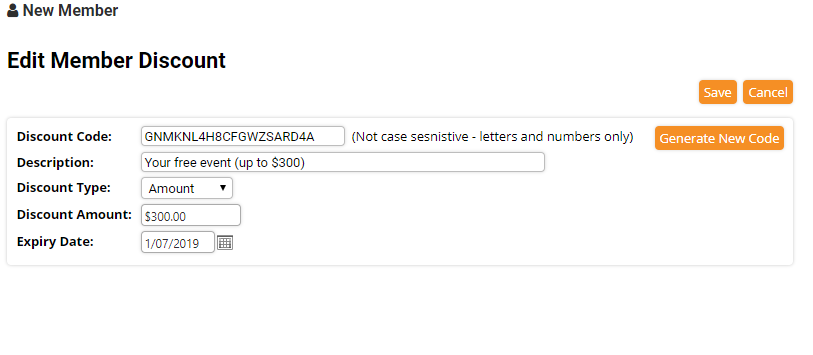
You can create a new code or edit an existing one, there is an auto-generate button if you wish MemNet to create the code, the description displays on the invoice and on the booking form, discounts can be a set amount or percentage, and can expire. These are all single-use codes.
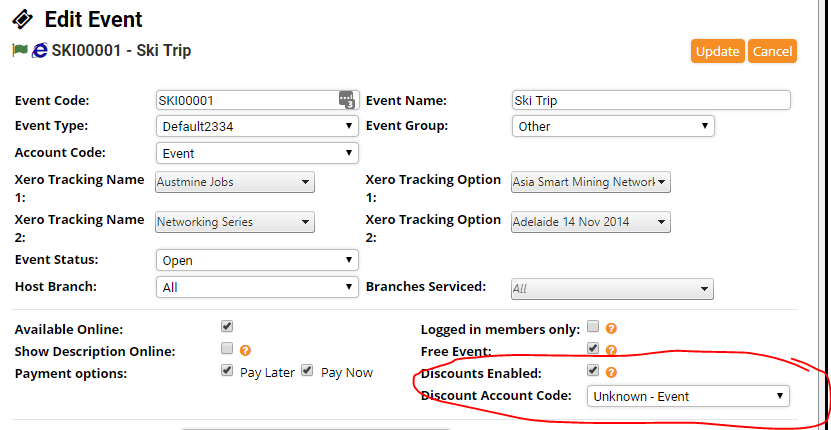
For each event, you can enable discounts per event. The event then has a discount account code that can be set if discounts are enabled.
Once discounts is enabled, the member can enter a discount code during the online booking process.
When a discount code is entered during the online event booking process the following checks are performed by MemNet:
- Do we know who the booker is? Are they logged in or identified themself in some other way? Yes required.
- Has the discount code expired? No Required.
- Has the discount code been used before? No Required.
- Is the member active? (only active members can use discount codes)
- Is the code in the database against the member that has been identified in point 1?
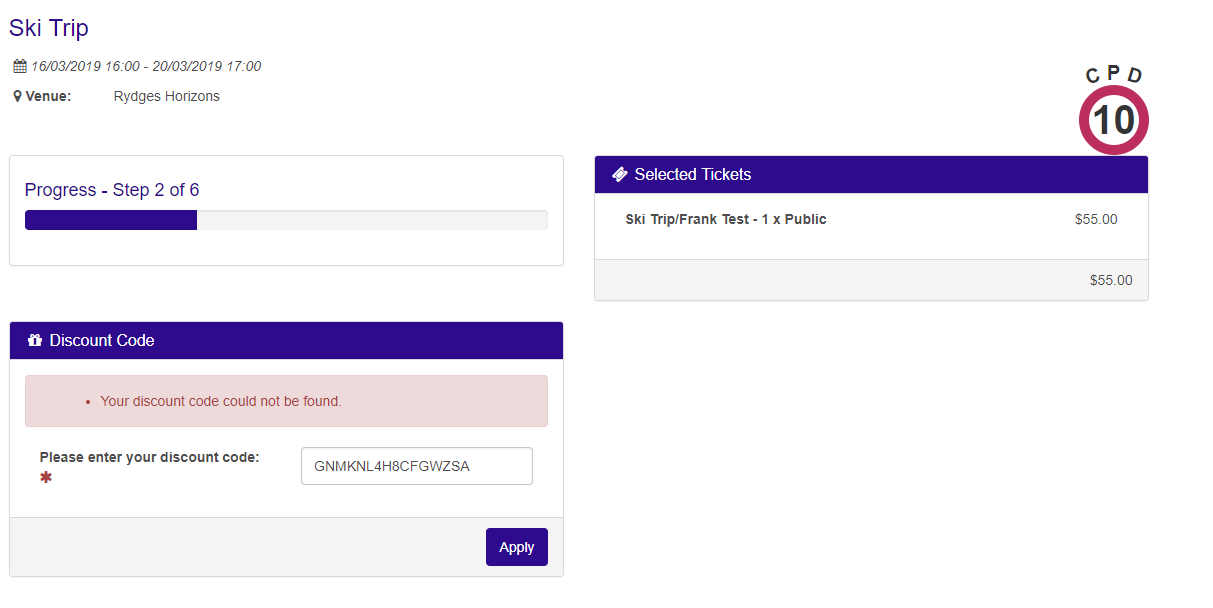
And if the discount code is successfully applied.
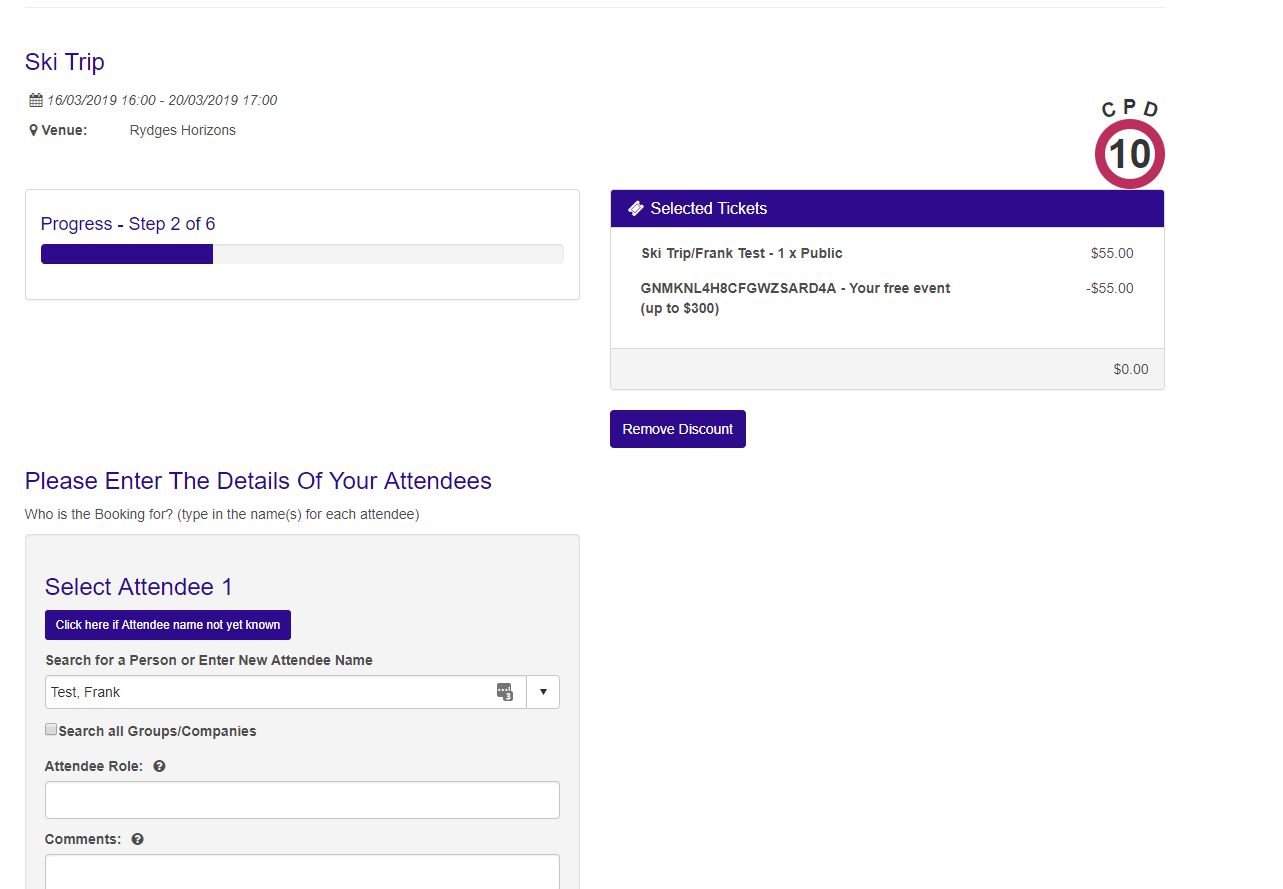
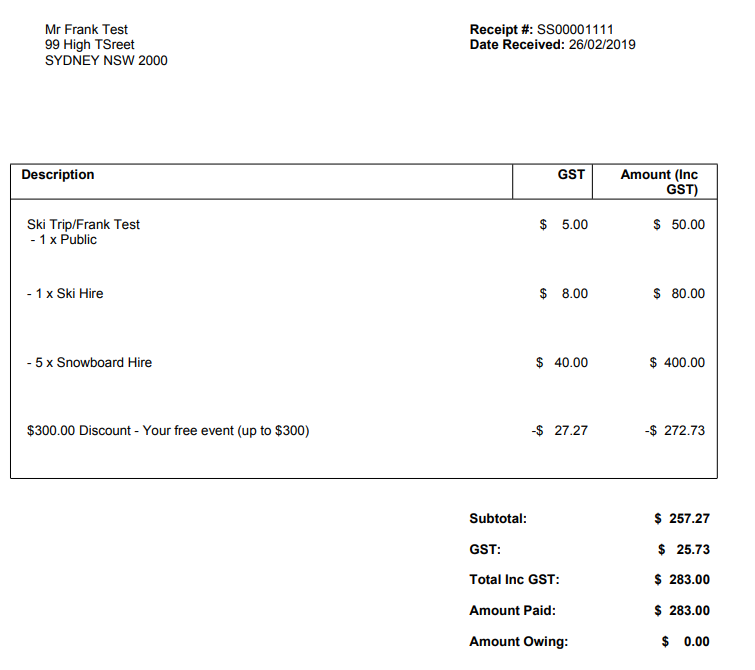
The discount is shown as a separate line item on the invoice and/or receipt for the event booking.
Comments
0 comments
Please sign in to leave a comment.