
When searching for recipients in Mail Generation, you are able to select multiple Member Types and/or multiple Branches in a single search.
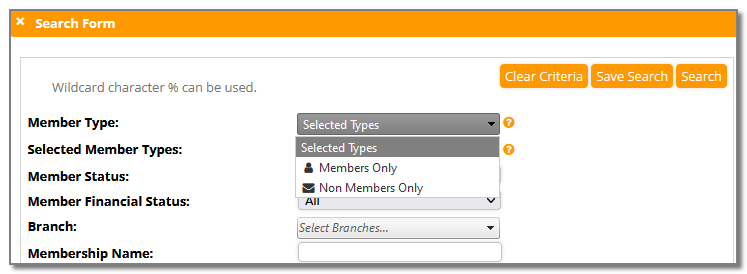
Member Type
Member types in MemNet can be marked as members or non-members, make a selection in this field when you want to include in your distribution all members with a member type that is:
- Members Only OR
- Non Members Only
If you do not make a member type selection, you can use the Selected Member Types to select one or more member types to be included in the search for recipients.
Note all member types will be included if no selection is made for either of these fields.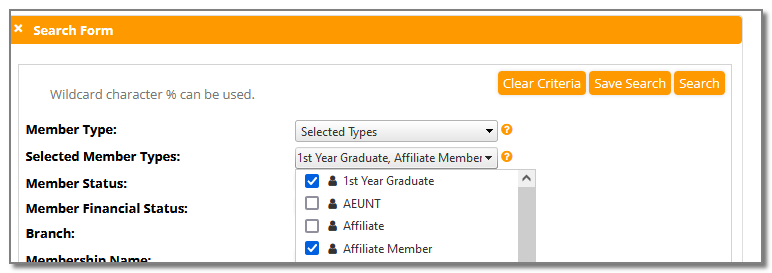
Branch
This field enables multiple selection (or deselection) of Branches you wish to include in your distribution, similar to the Selected Member Types field above. You can "Check All" or make a multiple selection from your list of branches.
The default for this field is "Select Branches", which will include all branches if none are selected from the drop down. (This is equivalent to ticking "Check All")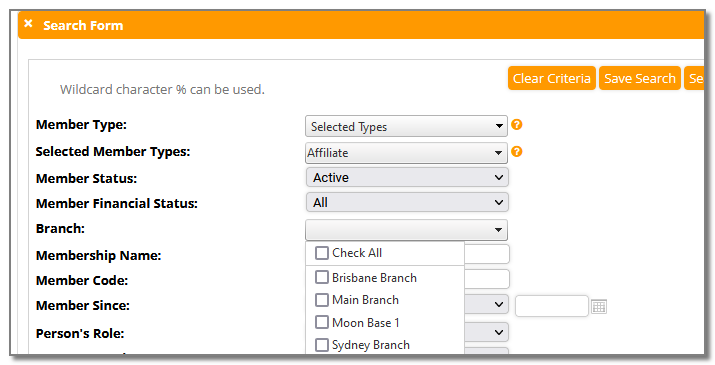
Comments
0 comments
Article is closed for comments.