
The MemNet member directory allows you to display a searchable list of your members to the public or other members. The member directory is highly configurable (see links below) allowing you to control what people can search on and what gets displayed in the results.
You can set up an unlimited number of directories, each with a different configuration, allowing you to create different directories for the public and other members, or directories for different member types, such as a directory of suppliers and another of members. The options are endless!
When viewed (either in a stand-alone window or embedded in an iframe on your website) the member directory will show to a search form, results are then listed when a search is completed and optionally displayed on a map. See below for an example, this page would be accessed at a URL like
https://[Client].memnet.com.au/MemberSelfService/Findamember.aspx?directory=[DirectoryName]
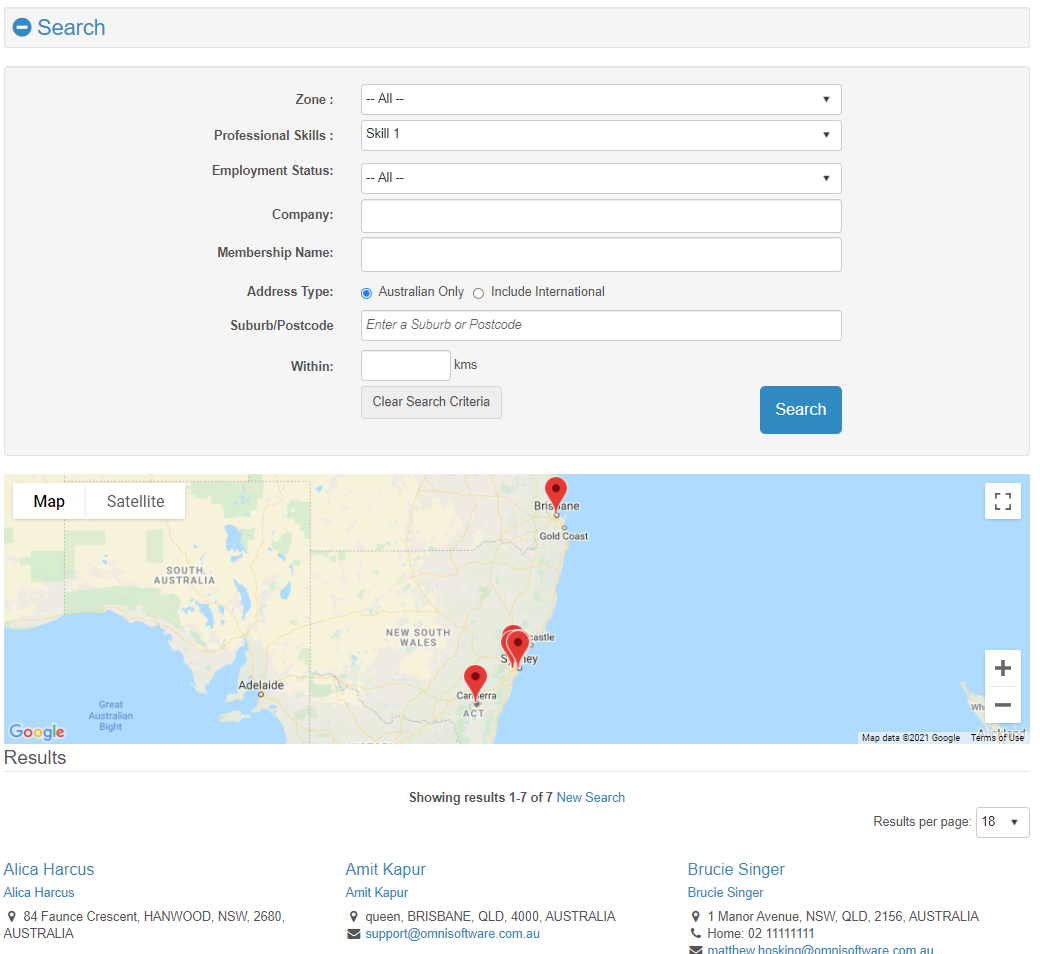
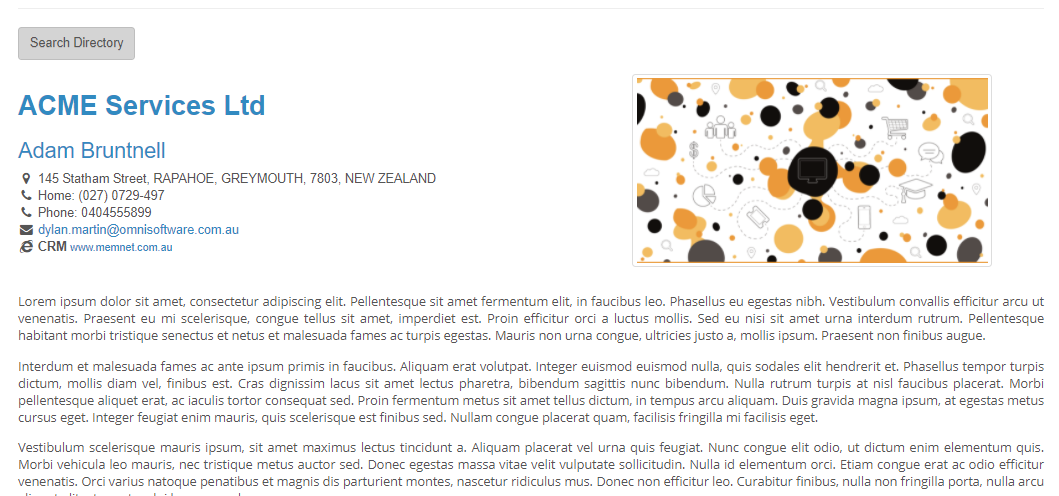
It is also possible to link directly to a member's member directory listing by including the member's member code in the URL. For example, the following can be displayed with a URL like:
https://[Client].memnet.com.au/MemberSelfService/Findamember.aspx?directory=[DirectoyName]&MemberCode=[MemberCode]
or, if the directory name is not included, the first directory will be displayed and the URL will be
https://[Client].memnet.com.au/MemberSelfService/Findamember.aspx?MemberCode=[MemberCode]
Additional reading:
Comments
0 comments
Please sign in to leave a comment.